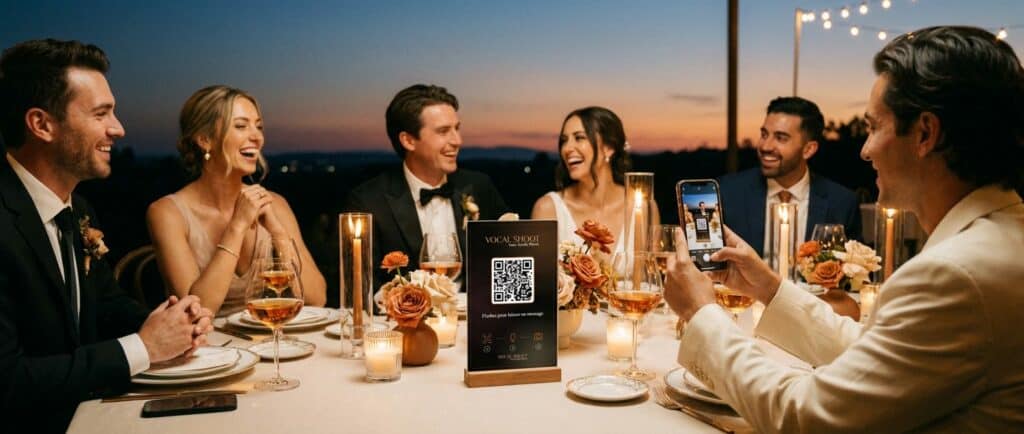
A traditional wedding guest book often ends up in a drawer. Nobody reads the signatures twice. That’s why more couples now choose a wedding guest book that actually sounds and looks like their guests. With Vocal Shoot, every message becomes a short video, complete with a voice, a smile, and a keepsake you’ll actually watch again. Here’s how it works for your big day, from setup to the final gallery.
Why Couples Choose a Wedding Guest Book That Talks Back
A written guest book only captures words on paper. In contrast, Vocal Shoot captures voices, laughter, and faces. Guests scan a QR code on their phone, so there’s nothing to install. As a result, even shy relatives end up leaving a heartfelt message. Because everything happens in the browser, the experience feels light and natural during the reception.
Setting Up Your Wedding Event in a Few Steps
First, create your event from your organizer space and choose “Mariage” as the type. Then pick a graphic theme, your wedding date, and a gallery password. A QR code and guest link are generated automatically. You can also set an acceptance deadline, with two extra days added by default. For couples planning several celebrations, the event can later be duplicated on Premium or Pro.
What Guests Actually Do at the Reception
Guests simply scan the code, then accept the terms once per device. Next, they record a voice message of up to one minute. Afterward, they take a selfie, with a discreet flash designed for dim reception lighting. Then they validate the photo or retake it, since the voice message is never lost. Finally, they receive their own souvenir video to keep or share.
AI Photo Styles to Match Your Wedding Theme
If you activate AI transformation styles, guests choose a visual theme before sending their message. For example, a vintage or romantic style can echo your wedding decoration. Each transformation uses one credit, and the number included depends on your formula. However, guests can always send their original photo if credits run out, so nobody is left without a memory. 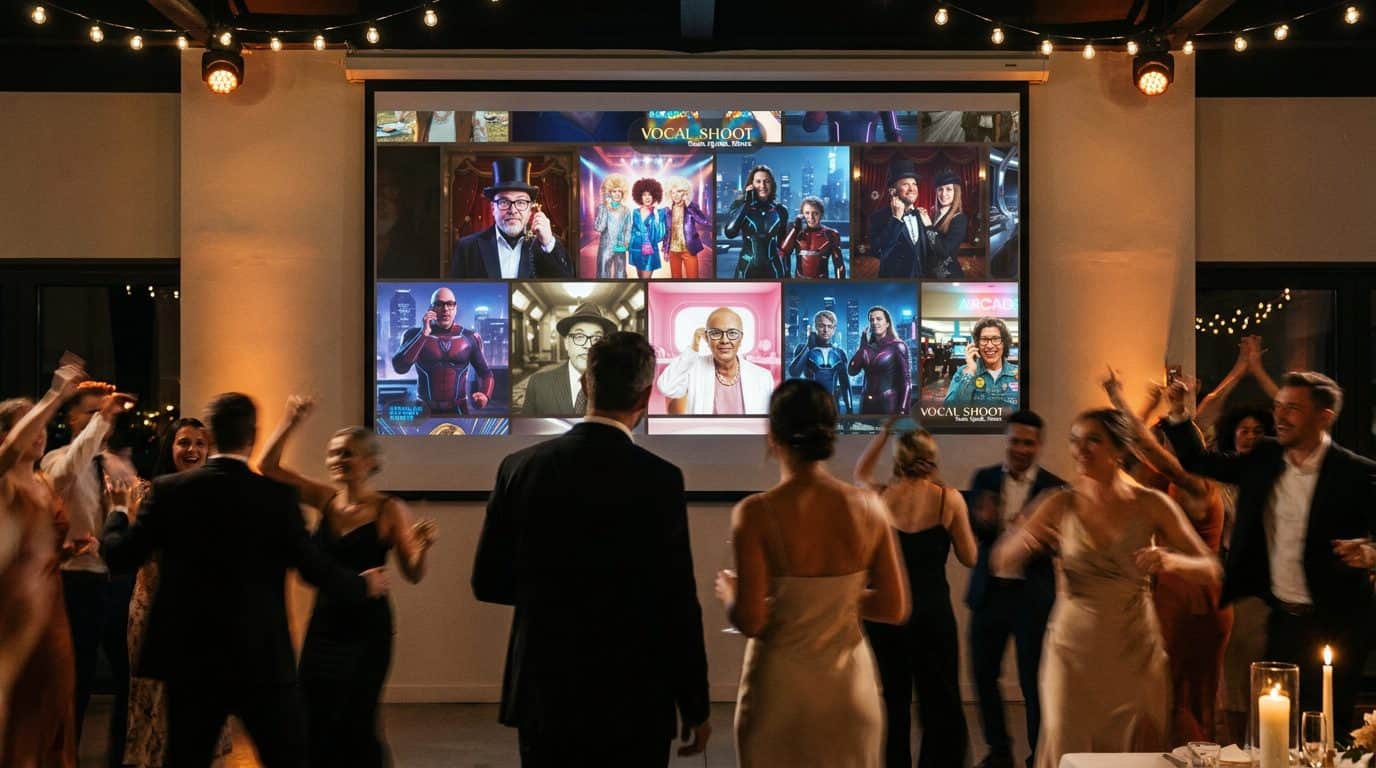
A Screen Full of Smiles During the Party
During the reception, the photo mosaic can run live on a screen or projector. It displays a scrolling wall of guest photos, along with your event name and QR code. This encourages guests who haven’t participated yet to join in. On Pro and Sur mesure formulas, a video mosaic is also available, showing full-screen clips one after another.
Reliving Your Wedding Day Afterward
Once the celebration ends, every message lives in your private gallery. It’s protected by the password you chose when creating the event. There, you’ll find each photo, audio, and generated video, ready to download one by one or as a full ZIP archive. This gallery works the same way for other celebrations too, as shown in this birthday guest book example.
Choosing the Right Formula for Your Wedding
Free lets you try Vocal Shoot with up to 25 messages, though a sponsor is displayed to guests. Premium is a one-time payment per event, at 19.99 € TTC, with unlimited messages and no advertising. Pro is a monthly subscription at 119.99 € TTC, better suited to wedding planners managing several events. Either way, every formula includes the printable table display and QR code generation.
Questions fréquentes
Do wedding guests need to download an app?
No app is needed. Guests scan the QR code and everything runs directly in their phone’s browser.
How long can a wedding guest message be?
Guests can record a voice message of up to one minute before taking their selfie.
What happens if a guest doesn’t like their selfie?
They can retake the photo as many times as needed. Their recorded voice message stays saved, so it’s never lost.
Can we display our wedding photos on a screen during the reception?
Yes, the photo mosaic can be projected live, showing a scrolling wall of guest photos along with the QR code.
Is the video guest book still available after the wedding day?
Yes, every message stays in your private gallery, protected by your password, with individual or ZIP downloads.
Can we customize the video with our wedding colors or logo?
Custom colors and logo are available on Premium and Pro, but only through contact with the sales team, not as a self-service setting.
Do AI photo filters cost extra for weddings?
Each AI transformation uses a credit, with an amount included depending on your formula. Extra credit packs can be purchased if needed.
Which formula is best for a single wedding?
Premium suits most weddings, since it’s a one-time payment per event with unlimited messages and no sponsor displayed.
Can guests leave more than one message?
Yes, after receiving their souvenir video, guests can choose to leave a second message if they want.
Is there a printable sign for the reception table?
Yes, a printable table display is included in every formula, with the QR code and a customizable message like ‘Scan to leave a message.’